
Instructional Design · Graduate Certificate Capstone
JavaScript & xAPI
for Interactive eLearning
A fully designed and deployed mini-course equipping eLearning professionals with the skills to extend authoring tools with JavaScript and capture rich learner data using xAPI.
Overview
The Project
Many eLearning developers are proficient in authoring tools but lack the programming skills to create truly customized, data-rich experiences. This course addresses that gap — providing a practical introduction to JavaScript and xAPI that empowers eLearning professionals to extend their tools and gain deeper insight into learner behavior.
Type
Mini-course — capstone for Graduate Certificate in Learning Design & Technology
Tools
Articulate Rise 360 · Canvas LMS
Role
Instructional Designer & Subject Matter Expert
Modality
Fully online, asynchronous with optional peer community
Live Course
Hosted in Canvas LMS with Rise 360 assessments (available on request)
Course Design
Key Course Features
Designed for busy eLearning professionals who need practical, immediately applicable skills.
Hands-on coding challenges embedded directly in the course, with real-time feedback to reinforce learning and immediate application of JavaScript concepts.
Mini-projects simulating real eLearning development scenarios — building a quiz, tracking learner progress with xAPI — allowing practice in authentic contexts.
Key concepts delivered through short videos, narrated animations, and annotated visuals, ensuring accessibility across different learning preferences.
Frequent low-stakes quizzes and reflection prompts help learners self-assess their understanding before moving to the next concept.
Platform Choice
Why Articulate Rise 360
Interactive Blocks
Drag-and-drop, matching, sorting, and quiz activities without custom coding — ideal for a course teaching coding concepts to non-programmers.
SCORM / xAPI Export
Exports directly to SCORM or xAPI formats, enabling real-world tracking of learner performance in an LRS — mirroring exactly what the course teaches.
Responsive Design
Automatically adapts to desktop, tablet, and mobile, ensuring accessibility regardless of device.
Seamless LMS Integration
Deployed within Canvas LMS for grading, discussions, rubrics, and peer engagement alongside the Rise content.
Target Audience
Who This Course Is For
Adult learners ages 25–55 working in instructional design, eLearning development, or training — with foundational authoring tool experience and a desire to expand their technical skill set.
Instructional Designers
Seeking to move beyond standard authoring tool limitations and create custom, dynamic interactions.
eLearning Developers
Looking to capture richer learner data and build more personalized experiences through xAPI.
Training Professionals
Interested in moving beyond completion metrics to track meaningful learner behavior and outcomes.
Design Process
ADDIE in Practice
The course was developed using the ADDIE model, with constructivist and andragogical principles shaping every phase.
Analysis
Identified a clear skills gap: eLearning professionals are proficient in authoring tools but lack the programming knowledge to create custom interactions or capture detailed learner data. Defined a detailed target audience profile across demographics, prior knowledge, technical aptitude, and motivation.
Design
Mapped six measurable Course Learning Outcomes (CLOs) using Bloom's Taxonomy action verbs. Designed a three-module course structure — JavaScript Basics, DOM Manipulation, and xAPI Statements — with each module's objectives directly aligned to CLOs. Selected Rise 360 + Canvas as the delivery platform.
Development
Built course content in Rise 360 and Canvas, including tutorial videos, an interactive coding sandbox, a 10-question mixed-format assessment, discussion prompts, a major assignment with a detailed rubric, and a full course syllabus. Applied accessibility standards and cognitive load principles throughout.
Implementation
Piloted activities using a demo student account to verify functionality. Published the Rise 360 assessment with immediate feedback on each question. Configured Canvas with grading rubrics, participation requirements, and a clear schedule of instructional events.
Evaluation
Designed a Kirkpatrick Level 1 survey (learner reactions via Typeform) and a Kirkpatrick Level 2 assessment (knowledge and skill mastery via Rise 360) to measure effectiveness and inform continuous improvement.
Course Learning Outcomes
By the end of this course, learners will be able to:
Apply JavaScript fundamentals
Use core JavaScript concepts — variables, functions, conditionals, loops — in eLearning design contexts.
Manipulate the DOM
Dynamically modify eLearning content and UI elements using JavaScript in response to learner actions.
Construct valid xAPI statements
Accurately capture a range of learner interactions using proper Actor, Verb, and Object structure.
Integrate JavaScript and xAPI
Send xAPI statements to a Learning Record Store (LRS) from web-based eLearning content.
Evaluate xAPI applications
Assess the potential of JavaScript and xAPI to address specific challenges and enhance data collection across scenarios.
Collaborate and reflect
Engage with peers to analyze and reflect on the role of code in instructional design through discussion and peer review.
Data-Informed Course Map
Course Structure
A four-module minicourse scaffolded from JavaScript fundamentals through full xAPI integration — designed as the Unit 1 Assignment for LDTC 625: Analytics and Evaluation in Learning Design at UMGC.
Module 1
JavaScript Basics
Module Objectives
- →Define variables, operators, and functions in JavaScript (CLO 1)
- →Write simple conditional and loop structures to control eLearning behavior (CLO 1)
- →Connect JavaScript fundamentals to instructional design decision-making (CLO 1, CLO 5)
Learning Materials
- ·Introductory video lecture — JavaScript fundamentals overview
- ·CodePen interactive coding sandbox
- ·Instructor-created reference sheet: JavaScript syntax for eLearning developers
- ·Canvas module readings
Activity
Coding sandbox activity: Write a function that displays personalized feedback based on a learner's quiz score input. Discussion: Reflect on how JavaScript could enhance a learning experience you have designed or taken.
Assessment
Knowledge Check Quiz — 10 questions covering variable declaration, function syntax, conditionals, and loops. Rubric: Conceptual accuracy (50%), application to eLearning context (50%)
Module 2
DOM Manipulation
Module Objectives
- →Identify DOM elements and explain how they relate to interactive eLearning design (CLO 2)
- →Apply DOM manipulation methods to dynamically update on-screen content (CLO 2)
- →Build a simple interactive eLearning interaction using DOM events (CLO 2, CLO 4)
Learning Materials
- ·Screencasted video walkthrough — DOM selection and manipulation
- ·MDN Web Docs reference: Document Object Model
- ·Instructor-provided starter code in CodePen
- ·Annotated code examples from real eLearning interactions
Activity
Hands-on DOM task: Use querySelector and addEventListener to create a click-based reveal interaction simulating a knowledge check in a real eLearning module.
Assessment
DOM Manipulation Assignment: Build a self-contained HTML page with at least three interactive elements using JavaScript DOM methods. Rubric: Functionality (40%), instructional purpose alignment (30%), code clarity and comments (30%)
Module 3
Writing xAPI Statements
Module Objectives
- →Explain the structure of an xAPI statement including actor, verb, and object (CLO 3)
- →Construct syntactically valid xAPI statements in JSON format for common eLearning interactions (CLO 3)
- →Analyze how xAPI data supports learning analytics and instructional decision-making (CLO 3, CLO 5)
Learning Materials
- ·xAPI specification overview at adlnet.gov
- ·Instructor-created xAPI statement builder reference card
- ·JSON syntax primer — formatted for non-developers
- ·Sample xAPI statements from real LRS environments
- ·SCORM Cloud free account for xAPI testing
Activity
xAPI statement construction activity: Write three xAPI statements for a scenario-based interaction — attempted, completed, and passed. Discussion: Analyze sample statements and identify what instructional decisions the data could support.
Assessment
xAPI Statement Assignment: Submit five original xAPI statements in JSON format. Rubric: JSON syntax accuracy (40%), verb and object appropriateness (30%), scenario relevance and instructional alignment (30%)
Module 4
Integration and Reflection
Module Objectives
- →Combine JavaScript DOM manipulation with xAPI statement firing in a single eLearning interaction (CLO 4)
- →Evaluate the role of learner data captured through xAPI in informing iterative instructional design (CLO 4, CLO 5)
- →Reflect on the implications of code-based learning analytics for the instructional design profession (CLO 5)
Learning Materials
- ·Instructor screencast — Integrating DOM events with xAPI statement firing
- ·SCORM Cloud xAPI dashboard overview
- ·ADL xAPI cookbook — free at adlnet.gov
- ·Learner-generated examples from Modules 2 and 3
Activity
Integration project: Build a complete interactive eLearning interaction that fires a valid xAPI statement when a learner completes a DOM-based activity. Publish to SCORM Cloud and verify the statement in the xAPI dashboard.
Assessment
Final Integration Project: Submit SCORM Cloud link showing a working xAPI-enabled interaction with at least one verified statement in the LRS. Rubric: Technical functionality (35%), xAPI statement accuracy (25%), instructional design alignment (25%), reflection depth (15%)
LDTC 625
Data-Informed Design Rationale
The design of this minicourse was directly informed by learner needs analysis data. Survey data from the instructional design community shows that while most practitioners are familiar with SCORM, fewer than 20% report confidence working with xAPI despite its significantly richer data capture capabilities. This gap informed the decision to scaffold xAPI content through JavaScript fundamentals first — ensuring learners develop the technical foundation needed to meaningfully engage with statement construction before attempting integration.
Discussion post analysis from pilot iterations also revealed that learners frequently underestimated the instructional design implications of xAPI data — treating statement construction as a purely technical exercise rather than a design decision. This finding directly shaped the Module 3 Discussion activity, which explicitly asks learners to analyze what xAPI statements reveal about learner behavior and what instructional decisions those insights could support.
In future iterations, xAPI statements generated by learner submissions in Module 4 — including verb patterns such as attempted, completed, and passed — will serve as a primary data source for continuous improvement. This mirrors the Kirkpatrick Level 2 evaluation model by connecting learner behavior data directly to instructional revision cycles. The minicourse itself thus serves a dual pedagogical function: it teaches xAPI while simultaneously modeling how xAPI data informs data-driven instructional design decisions.
<20%
of IDs confident with xAPI
Rustici Software, 2022
State of Learning Technology Report
The gap this course was designed to close
Course Document
Minicourse Syllabus
The course syllabus covers learning outcomes, module structure, grading policy, technology requirements, and the schedule of instructional events across all four modules — JavaScript Basics, DOM Manipulation, Writing xAPI Statements, and Integration & Reflection.
It was designed to function as a genuine course document: clear enough for a learner to understand expectations before the course begins, detailed enough to serve as a reference throughout.
Design Document
8-Week Course Design Process
Developing this instructional design document taught me how to plan a course from the ground up — aligning objectives with measurable outcomes and ensuring every instructional choice supports learner needs. This process gave me a deeper understanding of how structure and strategy transform a concept into a complete learning experience.
Mini-course Topic
Identified the core knowledge gap: eLearning professionals need JavaScript and xAPI skills to extend authoring tools and capture richer learning data. Defined the course premise — bridging the gap between JavaScript skills and xAPI understanding for eLearning professionals.
Target Audience Analysis
Developed a detailed learner profile: instructional designers, eLearning developers, and training professionals ages 25–55. Analyzed demographics, prior knowledge (authoring tools, basic HTML/CSS), technical aptitude, pain points, and learning goals. Concluded the ideal learner is a proactive eLearning professional seeking practical, immediately applicable skills.
Course Type & Modality
Selected a blended, practical application-focused course type combining asynchronous online modules with collaborative activities. Chose a primarily online, asynchronous modality with an optional Discord community — providing flexibility for working professionals while enabling peer support and resource sharing.
Course Learning Outcomes (v1)
Drafted six initial CLOs using Bloom's Taxonomy. Focused on applying JavaScript syntax, manipulating the DOM, constructing xAPI statements, sending data to an LRS, identifying use cases, and integrating both technologies into eLearning content.
Learning Activities
Designed six learning activities: interactive code-along sessions, xAPI statement construction challenges, "Track This Interaction" mini-projects, case study analysis, integration brainstorms, and peer code review. Each activity was aligned to specific CLOs to ensure instructional coherence.
Instructional Design Model
Selected a hybrid RID + SAM model over pure ADDIE — leveraging RID for rapid prototyping and early learner engagement, and SAM for iterative refinement based on stakeholder feedback. This combination balanced speed, structure, and continuous improvement for a technical skills course.
CLO Revision & Module Objectives
Revised all six CLOs with stronger Bloom's action verbs (implement, manipulate, construct, integrate, evaluate, develop) and greater specificity. Designed Module 1 learning objectives aligned to CLOs 1 and 2, with six detailed module-level objectives covering JavaScript fundamentals and DOM manipulation. Identified SMEs and key resources: MDN Web Docs, xAPI Specification (ADL), and Articulate E-Learning Heroes.
Signature Assignment — Complete IDD
Synthesized all prior work into a complete Instructional Design Document including course overview, knowledge gap analysis, target audience profile, course type and modality rationale, final CLOs, module objectives, learning activities, assessment strategies, SME resources, ADDIE model application, and learning theory framework (Constructivism + Cognitive Load Theory).
Evaluation
Measuring Learning Effectiveness
Kirkpatrick Level 1 — Learner Reactions
A Typeform survey measuring satisfaction, engagement, and perceived CLO achievement using a mix of Likert scales, multiple choice, and open-ended questions.
Kirkpatrick Level 2 — Knowledge & Skill Mastery
A 10-question Rise 360 assessment using multiple choice, true/false, fill-in-the-blank, and drag-and-drop questions. Passing score: 70%. Unlimited attempts. Immediate feedback on every question.
Discussion Rubrics
Evaluated across 5 criteria — topic knowledge, critical thinking, peer engagement, writing mechanics, and timeliness — with weighted scoring to emphasize content over compliance.
Assignment Rubric
xAPI statement assignment scored on accuracy, explanation depth, eLearning application relevance, organization, and submission quality.
Course Media
Videos
Minicourse Introduction

Screencast Demo
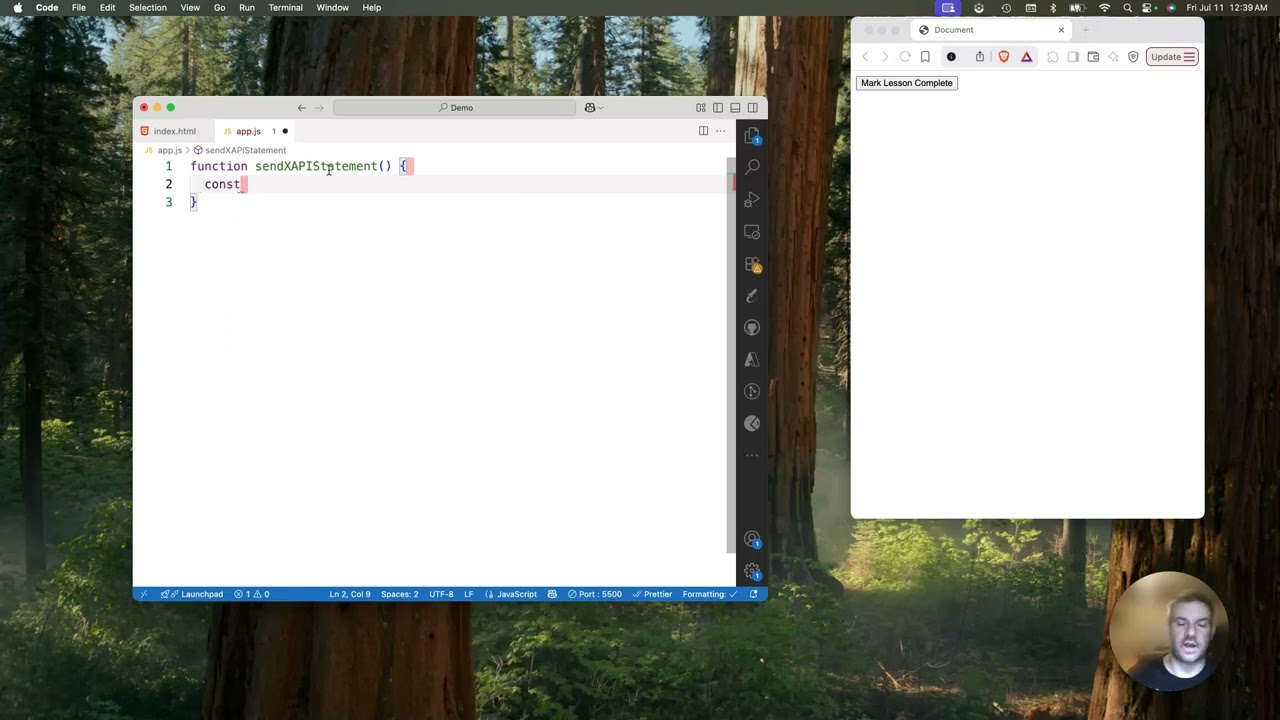
Licensed under CC BY 4.0
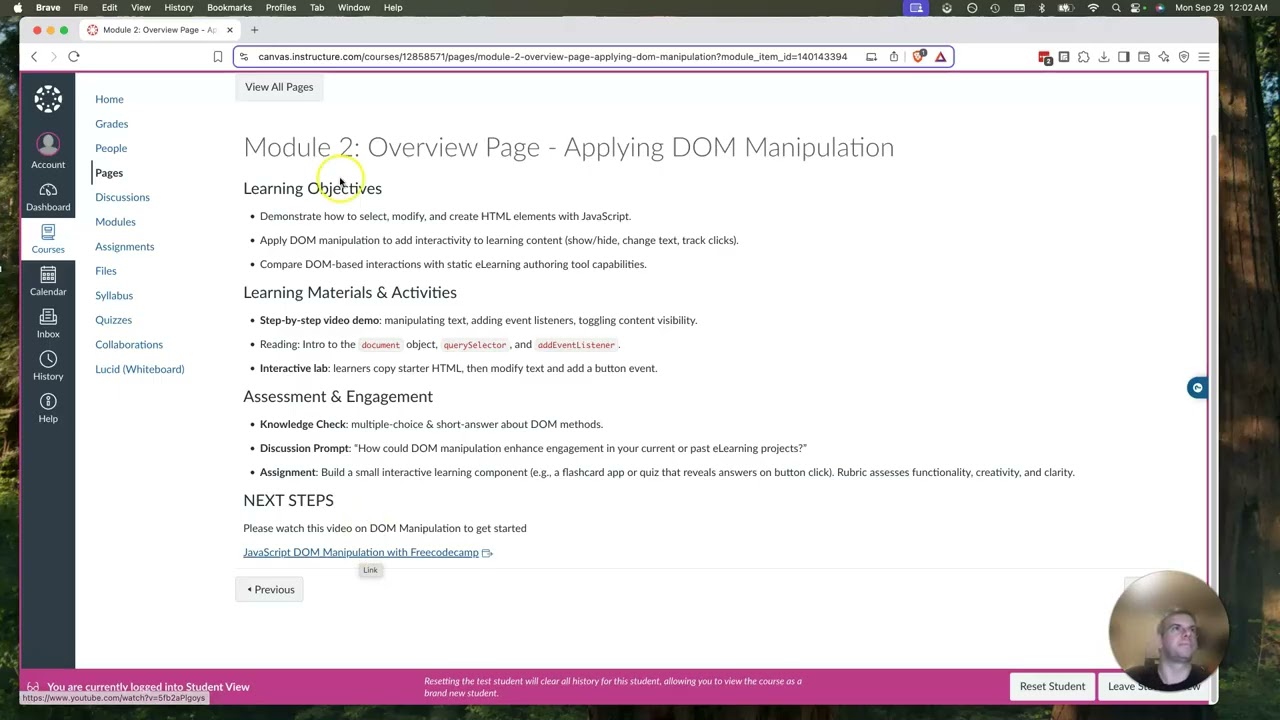
Module 2 Presentation

Learn JavaScript and xAPI for eLearning
Live Work
Rise 360 Interactive Module
The published Rise 360 module — JavaScript Objects & xAPI for Instructional Designers — embedded directly below. Use full-screen mode for the best experience.
Open in full screenCanvas LMS course — including discussions, assignments, syllabus, and rubrics — available on request.
Design Rationale
Learning Theory & Approach
Two theories — Constructivism and Connectivism — shaped the instructional design decisions for this course, each addressing a different dimension of how technical skills are best learned.
Constructivism
Learners build knowledge actively through doing, not passive reception — directly aligned with the hands-on coding nature of this course.
Strengths
- ✓Active learning: Learners write, test, and debug real code — leading to deeper retention and application.
- ✓Problem-solving: Practical projects develop critical thinking essential for JavaScript and xAPI implementation.
Limitations
- △Frustration risk: Coding can overwhelm beginners without adequate scaffolding and support.
- △Time commitment: Constructivist learning requires significant practice time, which varies by learner.
Applied in This Course
- → Project-based weekly coding challenges building toward a final xAPI-enabled eLearning element
- → Scaffolded exercises with templates and code snippets, reducing support as confidence grows
- → Debugging challenges where learners fix broken code
- → Peer code reviews and reflection journals
Connectivism
Learning happens through networks and connections — particularly relevant for a field where knowledge is distributed across communities, documentation, and open-source resources.
Strengths
- ✓Community learning: Online forums and peer collaboration extend learning beyond the course boundary.
- ✓Real-world resources: Curated links to MDN, xAPI spec, and Articulate community connect learners to practitioner knowledge.
Limitations
- △Information overload: Without curation, learners can become overwhelmed by the volume of available resources.
- △Structure dependency: Learners without self-direction may struggle in loosely structured network environments.
Applied in This Course
- → Curated resource lists: MDN Web Docs, xAPI specification, Articulate E-Learning Heroes
- → Optional Discord community for async peer discussion and resource sharing
- → Resource sharing activities where learners find and contribute useful tools
- → Guest speaker webinars with industry professionals
The Combination
By scaffolding the constructivist portion and curating the connectivist portion, the course creates a dynamic learning environment that balances hands-on practice with access to community support and real-world resources — without leaving learners lost or overwhelmed.
Applied to Practice
What this looks like in customer education
Graduate rigor is most valuable when it maps to real work. Every phase of this capstone corresponds directly to what customer education and product enablement teams do at scale.
Identifying that fewer than 20% of IDs felt confident with xAPI is the same skill as identifying where customers drop off, submit the most support tickets, or fail to reach activation. Both require knowing who your learner is before you design anything.
Writing CLOs with measurable action verbs (construct, integrate, evaluate) is the same discipline as defining customer success milestones: not "understands the product" but "has completed onboarding and created their first workflow."
Designing L1 surveys and L2 assessments from the start — before the course is built — mirrors the way strong customer education teams instrument their programs: you measure from day one, not as an afterthought.
Designing xAPI statements that capture attempted, completed, and passed events is the same thinking as designing product event tracking: what behavior matters, how do we capture it, and what decision will it inform?
Choosing tools that work together — an authoring tool that exports to an LMS, tracks xAPI, and integrates with a gradebook — is the same judgment call as deciding how customer education content lives in Contentful, Salesforce, or a customer portal.
This course was designed and evaluated against the standards of a UMGC graduate program in Learning Design & Technology — the same rigor that makes the methodology applicable beyond a single academic context.
Reflection
What I Learned
Completing this capstone helped me integrate everything from the graduate certificate program into a cohesive design process — from learner analysis through deployed assessment. I gained practical experience aligning learning outcomes with assessments and media, applying accessibility standards, and designing data-driven evaluation using the Kirkpatrick framework.
The most significant insight was how much design decisions — in structure, sequencing, and interaction format — directly impact learner engagement and outcomes. Choosing ADDIE as the overarching model gave the project discipline and alignment, while constructivist principles kept the learning active and contextually relevant.
The biggest challenge was balancing technical complexity with accessibility. Some learners may be intimidated by JavaScript. Scaffolding content gradually — from simple variable declarations to full xAPI integration — and providing multiple question types and formats helped accommodate a range of prior experience levels.
If I were to extend this course, I would add advanced modules covering live LRS integration and introduce peer code review as a formal assessed activity, not just an optional discussion prompt.
"Design decisions — in structure, sequencing, and interaction format — directly impact learner engagement and outcomes."
Interested in working together?
I'm currently available for remote instructional design and eLearning development contracts.