
Job Aid · Performance Support · Articulate Storyline 360
Extending Storyline
with JavaScript
A one-page quick reference for Storyline developers: when to reach for JavaScript, how to target elements, the republish gotcha that breaks builds silently, and a debugging workflow.
The Job Aid
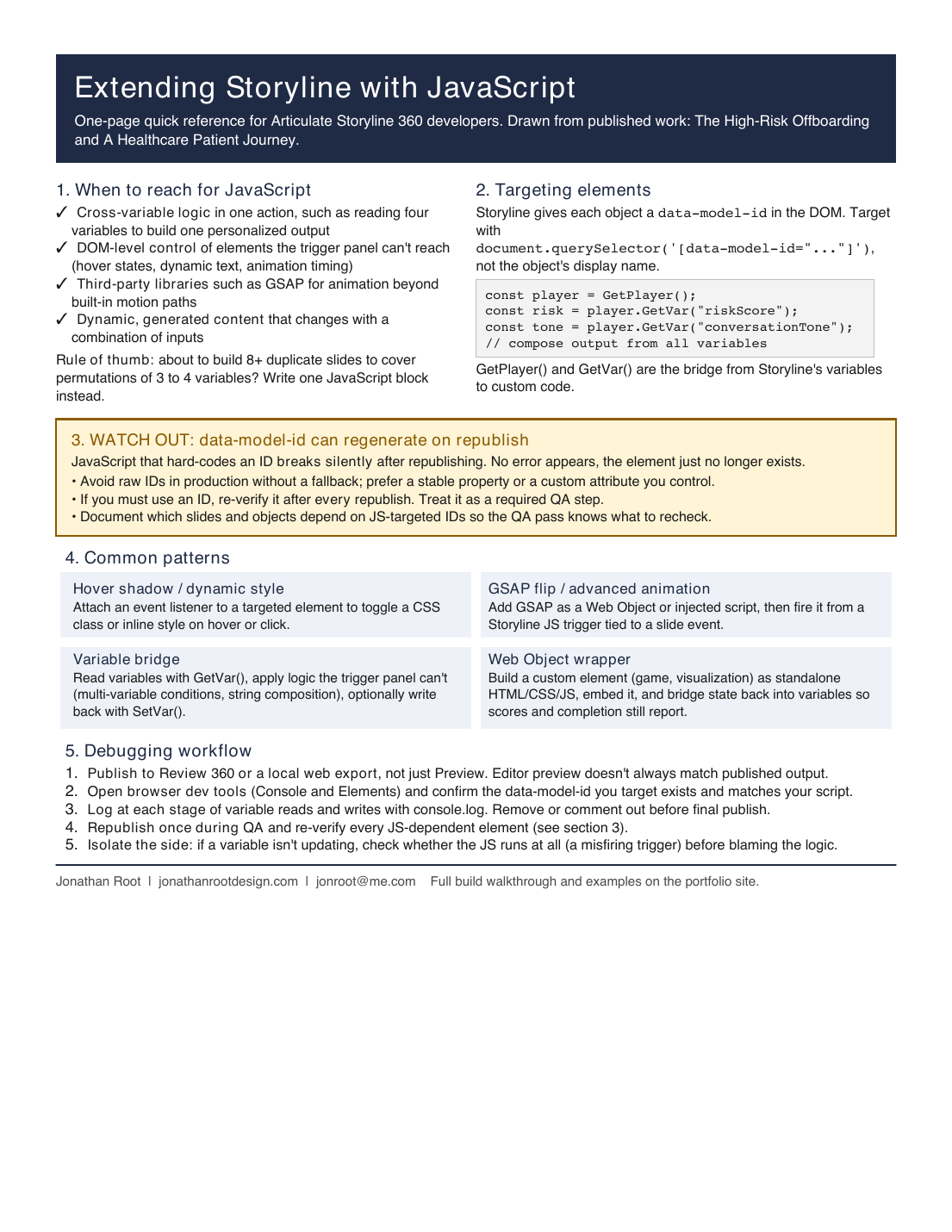
One page, built to be used mid-build
Custom JavaScript in Storyline is powerful, but the documentation for it is thin, and the failure modes are quiet. This job aid condenses what I learned building two published courses into a single page a developer can keep open while working.
The most useful part is the callout on data-model-id: Storyline can regenerate these IDs when you
republish, so JavaScript that hard-codes one can stop working with no error message. The aid turns that into a
required QA step.
What It Covers
Five sections, one page
When to use JavaScript
A short checklist and a rule of thumb: if you are about to build 8+ duplicate slides to cover permutations of a few variables, write one JavaScript block instead.
Targeting elements
How Storyline exposes objects in the DOM, and how GetPlayer() and GetVar() bridge Storyline variables into custom code.
The republish gotcha
Why hard-coded data-model-id values break silently after republishing, and the QA habit that prevents it.
Common patterns
Hover styling, GSAP animation, the variable bridge, and Web Object wrappers, each in a compact card.
Debugging workflow
Five steps, from publishing to Review 360 through isolating whether the fault is in Storyline or in the script.
Built from real work
Drawn from The High-Risk Offboarding and A Healthcare Patient Journey, both published in this portfolio.
Interested in working together?
I'm currently available for remote instructional design and eLearning development work.