
Live Instruction · CSS · Selectors · Specificity · Masterschool
CSS Selectors and the Cascade —
Masterschool Coding Bootcamp
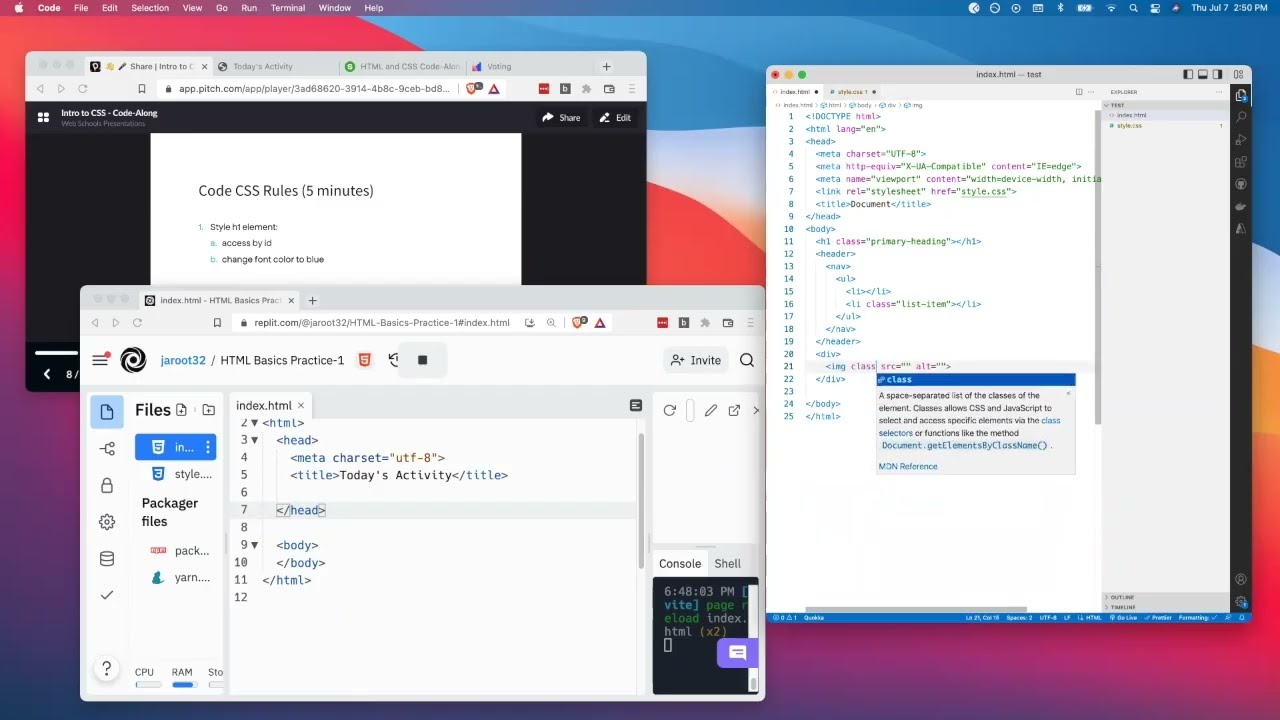
A live one-hour session introducing an international bootcamp cohort to CSS selectors, specificity, and the cascade — taught with real-time Slido polls, live Replit demos, and a chat full of students answering each other's questions.
The Session
Teaching CSS to a room at different speeds
CSS fundamentals sound straightforward until you're in a live session with 30 students at completely different stages. Some are answering questions confidently in the chat. Others are still setting up VS Code. One student hadn't finished the HTML precourse yet.
This session covered CSS selectors, the cascade, and specificity — but the real instructional challenge was keeping a wide range of learners moving together without leaving anyone behind and without slowing down the students who were ready to go deeper.
The solution wasn't to teach to the middle. It was to build a session structure that let learners at every level contribute, get answers, and leave with something useful.
~60
minutes · live session
Masterschool Coding Bootcamp
CSS Selectors · Specificity · The Cascade
International cohort · July 2022
The Content
What the session covered
CSS fundamentals built on precise vocabulary and live experimentation — with students answering questions alongside the instruction.
CSS Selectors
Covered the three core selector types — element selectors (li), class selectors (.class), and ID selectors (#id) — using live Slido polls to assess prior knowledge before explaining each one. Students typed their answers directly into the chat.
CSS Specificity
Explained the 1-10-100 specificity scoring system — element selectors worth 1 point, class selectors 10, ID selectors 100 — and showed how specificity determines which styles win when rules conflict on the same element.
The Cascade
Used the "cascading" metaphor to explain how CSS resolves conflicts — source order, specificity, and inheritance — and demonstrated live why the last rule wins when specificity is equal.
Linking CSS to HTML
Walked through how to link an external stylesheet using the tag — addressing common errors students were hitting in real time, including file naming mismatches and path issues.
VS Code Setup and Emmet
Shared the Emmet cheat sheet and showed how to use the ! shortcut to generate HTML boilerplate — reducing setup friction so students could spend session time on CSS rather than file configuration.
Study Skills and Resources
Shared the MDN CSS Selectors reference, a keyboard shortcuts guide, and the Pomodoro Technique — treating productivity and self-directed learning as part of the curriculum, not an afterthought.
The Approach
Socratic questions, peer answers, shared resources
Rather than lecturing through selector types one by one, I used Slido polls to ask students what they already
knew before explaining anything. When I asked "how do you select an element by ID in CSS?" the chat filled with
#, #div-id, and #Name of the element — giving me an
instant read on where the cohort was before I'd said a word about it.
That chat dynamic also meant students were teaching each other in real time. When someone asked about ID vs
class, another student answered before I did: "ID is for 1 element, class is for everything." When someone
struggled with commenting out code, two other students explained the /* */ syntax and shared the keyboard shortcut. That's peer learning happening organically — not because it was engineered,
but because the session structure made space for it.
For students who were ahead, I shared deeper resources — the MDN selectors reference, the Emmet cheat sheet, the Pomodoro Technique for study sessions. For students who were behind, I kept the Replit demos forkable so they could catch up on the recording. No one was left with nothing to do.
Poll First
Slido polls to surface prior knowledge before explaining
Chat as Whiteboard
Students type answers — everyone sees the range
Peer Correction
Students clarify and build on each other's answers
Live Demo
Replit exercises students could fork and experiment with
Resource Stack
MDN, Emmet, shortcuts, Pomodoro — a learning toolkit
Session Recording
Watch the Session
Edited highlights from the live CSS Selectors and the Cascade session at Masterschool, July 2022.
Reflection
What a chat log reveals about a session
The Zoom chat log from this session tells a story that most recordings miss. You can see the exact moment students went from uncertain to confident — the shift from "I'm totally lost" early in the session to "done," "done," "done 🙂" near the end, with students sharing their Replit links for feedback.
You can also see the peer learning network forming in real time — students helping each other with syntax, sharing keyboard shortcuts, correcting each other's answers, and cheering each other on. That dynamic doesn't happen by accident. It happens when a session is structured to make participation feel safe and useful.
30+
active participants
CSS Selectors · Specificity · Cascade
Slido · Replit · Emmet · MDN
International cohort · July 2022
Interested in working together?
I'm currently available for remote instructional design and eLearning development contracts.