
Live Instruction · React · Hooks · BooksAPI · Masterschool
myReads Book Tracker —
React Project Introduction
A live ~40-minute session introducing Masterschool students to the myReads Book Tracker project — demoing the finished app first, walking the project rubric, and mapping each feature to the specific React concept needed to build it.
The Session
Show the destination before the directions
The myReads Book Tracker is a React CRUD application — students can sort books across three virtual shelves, search for new books via an API, and manage their reading list. It sounds approachable until you look at it: the starter code is a single undecomposed component, the API returns promises, and students have to figure out how to wire useEffect, useState, and controlled form inputs together to make it all work.
The session opened with a live demo of a working version of the app. Before explaining how anything worked, I showed students exactly what they were building — the shelf sorting, the search, the none/delete behavior, and how books already on a shelf show their current state in the search results. Seeing the finished product first gives students a mental model to build toward rather than assembling pieces with no picture of the whole.
From there, the session worked backward — connecting each feature students had just seen to the specific React concept that makes it possible, and pointing to the exact parts of the curriculum where each concept lives.
~40
minutes · live session
Masterschool Coding Bootcamp
React · Hooks · BooksAPI · Udacity Curriculum
International cohort · April 2022
The Content
What the session covered
Project orientation, rubric walkthrough, and concept mapping — everything students needed before writing their first line.
Live App Demo
Opened with a working version of the finished app — showing shelf sorting, the search feature, none/delete behavior, and how books already on a shelf display their current state in search results. Destination before directions.
Starter Code and BooksAPI
Walked through the starter code file structure and the three BooksAPI methods — getAll, search, and update — explaining what each returns and how students would use them to power each feature of the app.
Create React App
Explained what Create React App includes out of the box — React, JSX, TypeScript support, live dev server, build scripts, and offline capability — and why it is the right starting point for this project.
Project Rubric Walkthrough
Walked through the project rubric with practical advice: functional React over classes, key props on book lists, updating the README, and making sure the app installs and starts cleanly before submission.
useEffect and useState for API Calls
Mapped the search and shelf-loading features to the useEffect hook — showing how API calls fit inside the hook, how the promise chain updates state via useState, and walked through a DigitalOcean resource that demonstrates the pattern clearly.
Key Concepts for the Project
Connected each project feature to a specific React concept: map and filter together for the none/delete functionality, controlled components for both the shelf form and the search form, and lifting state for shared book data.
The Approach
Working backward from the finished product
Project intro sessions are easy to get wrong. The instinct is to start with the code — open the starter files, walk through the structure, explain what needs to be built. But students who don't yet have a clear picture of the finished product can't make sense of the pieces. Starting with the demo inverts that order: once students have seen the app working, every piece of the starter code has a place to land.
The rubric walkthrough was deliberate. Udacity project reviewers evaluate against a specific checklist, and students who miss small requirements — not updating the README, missing key props on list items — get resubmissions that delay their progress. Walking the rubric explicitly before students start building means those requirements are in mind from the first line of code, not checked as an afterthought before submission.
When a student asked which React concepts to focus on, I mapped the answer directly to the app's features: map and filter together for the none/delete functionality, useEffect for the BooksAPI calls, controlled components for both forms. That's not a general React curriculum — it's a targeted reading list for this specific project.
I also connected the session forward to the next project — the Employee Polls Web App with Redux — so students understood that the patterns they were learning here weren't isolated. Everything in the myReads project builds directly toward what comes next.
Demo First
Working app — see it before building it
Orient to Code
File structure · BooksAPI methods · starter code
Walk the Rubric
What reviewers check — no surprises at submission
Map to Concepts
Each feature → specific React concept
Stack Resources
Cheatsheet · DigitalOcean · Epic React hooks workshop
Session Recording
Watch the Session
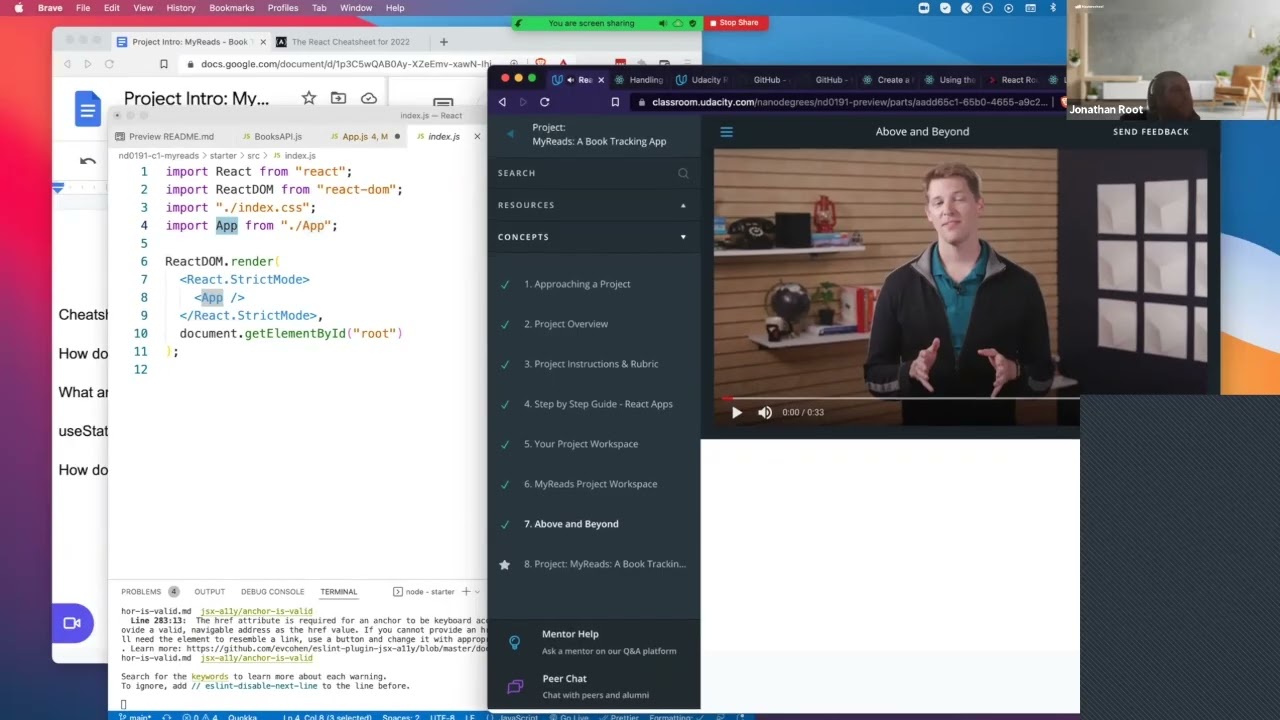
Edited highlights from the live myReads Book Tracker project introduction at Masterschool, April 2022.
Reflection
What project intros are actually for
The myReads project looks deceptively simple — it's just a bookshelf app. But it requires students to coordinate two forms, asynchronous API calls, shared state across components, and the none/delete pattern all at once. A project intro that just opens the starter code and says "here's what you need to build" leaves students with pieces but no mental model for how they connect.
What this session reinforced for me is that a good project intro is really a concept map in disguise. The demo isn't just motivational — it's a way of surfacing every concept students will need before they have to ask for them. By the time students open their starter code after this session, they already know that the search form needs useEffect, that the shelf form needs controlled component patterns, and that the delete behavior is a filter call away.
2
forms · one shared API
useEffect · useState · map + filter
Controlled components · Lifting state
BooksAPI · Create React App
Keep Exploring
Related Case Studies
Interested in working together?
I'm currently available for remote instructional design and eLearning development contracts.