
Live Instruction · OWASP · Web Security · Masterschool
Common Security Attacks —
Securing Web Apps with OWASP
A live webinar introducing Masterschool students to the OWASP Top Ten — covering injection attacks, broken authentication, data exposure, XSS/CSRF, broken access control, and three new 2021 additions, with a focus on why each vulnerability exists and how to prevent it.
The Webinar
Security as a programming discipline, not an afterthought
Security is one of the most undercovered topics in web development bootcamps — not because it's unimportant, but because it's easy to treat as someone else's problem. The goal of this webinar was to make it concrete and personal: web application vulnerabilities are not exotic edge cases. Eighty percent of data breaches on web applications trace back to poor coding practices that developers write themselves.
The session opened with the 2012 Yahoo breach — 450,000 user passwords exposed publicly due to poor database security configuration — as a real-world stake. From there, it moved through risk quantification, regulatory context, and a structured walkthrough of the OWASP Top Ten: what each attack looks like, how it happens, and what code-level prevention looks like.
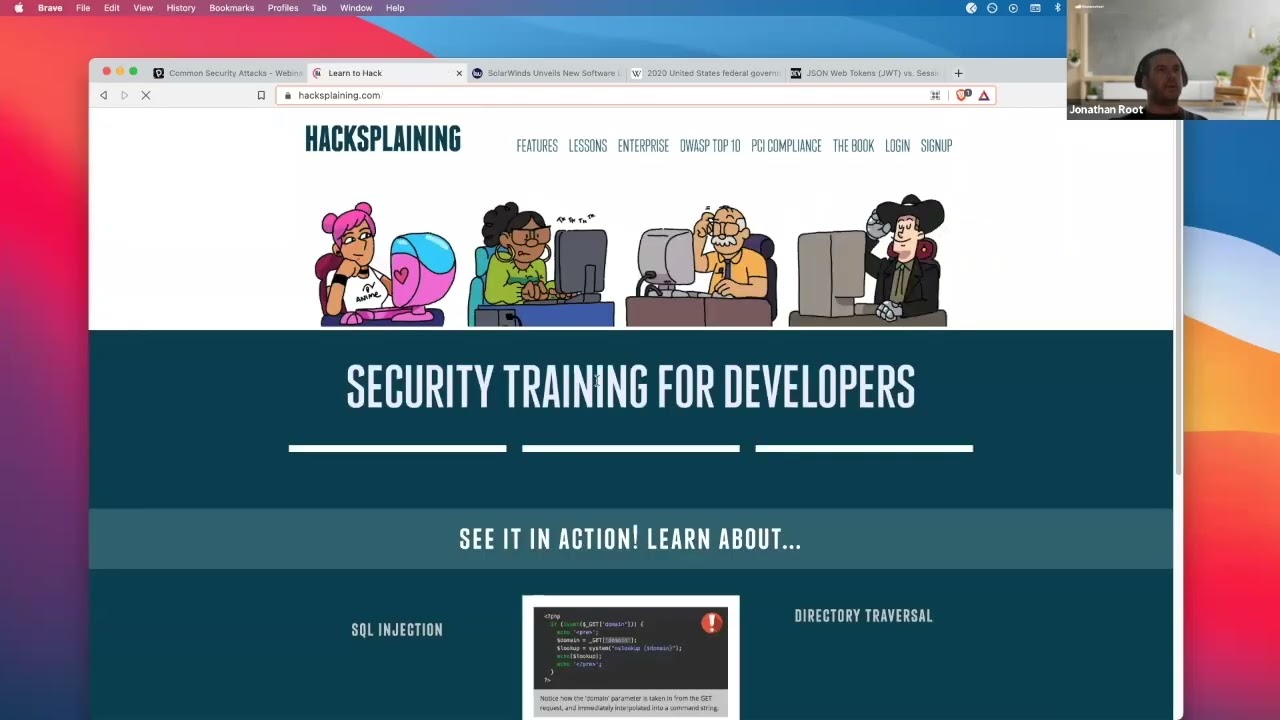
Students were also pointed toward hacksplaining.com — an interactive site where
they could try out each attack category in a sandboxed environment, turning the conceptual walkthrough into something
they could feel from both sides.
10
OWASP Top Ten attack categories
Web Application Security
OWASP · GDPR · HIPAA · Secure SDLC
Live webinar · Masterschool Coding Bootcamp
Learning Objectives
What students were meant to walk away with
Three goals shaped what to cover and how to frame it — moving from awareness to understanding to hands-on exploration.
Understand Secure Programming
Frame security not as a specialized discipline but as a baseline responsibility — the kind of vulnerabilities that cause data breaches are introduced by developers writing ordinary code without thinking about how it can be exploited.
Understand OWASP
Learn what the Open Web Application Security Project is, why it matters as a shared industry standard, and how its Top Ten list organizes the most common and impactful vulnerability categories in web applications.
Try Out Attacks Hands-On
Use hacksplaining.com to experience each attack category interactively — not just reading about SQL injection or XSS, but attempting it in a safe environment to understand what the attacker actually does.
Three Core Principles
The foundation everything else is built on
Before diving into specific attacks, the session grounded students in the three principles that all security policies — GDPR, HIPAA, and OWASP — are designed to protect.
Confidentiality
If you're holding people's data, you keep it protected from unauthorized access. This is the principle behind password hashing, encryption, access controls, and the legal requirement not to share patient records — even with family members — without the patient's consent.
Integrity
The data you receive is what it actually is — not altered, not manipulated, not faked. Integrity means validating inputs, preventing injection, and ensuring that the data moving through your system is trustworthy at every step, not just at the point of entry.
Availability
When someone legitimately asks for their data, they can get it back within a reasonable timeframe. GDPR's right to deletion and the right to access both live here — the system has to respond, not just store.
Why It Matters
Quantifying the cost of a breach
Before the OWASP content, the webinar framed security as a business decision — because that's how it actually gets funded. Security spending requires someone to approve a budget, and that person needs to understand the tradeoff between the cost of securing an asset and the cost of losing it. The analogy used: if you buy a $1,000 bicycle, you spend $50 on a lock. The same proportional logic applies to user data.
The Annualized Loss Expectancy (ALE) formula makes that tradeoff concrete: multiply the asset value by the probability of a breach to get a Single Loss Expectancy, then multiply by how many times that breach might occur in a year. If a $100 asset has a 20% breach likelihood and might be compromised twice a year, the expected annual loss is $40. If it costs $5 to secure it, the math is obvious.
Students also learned that compliance with security regulations — GDPR, HIPAA, and OWASP — is not self-certified. Companies hire third-party vendors to assess and certify compliance, a process that can take months for larger organizations. And the person ultimately responsible for funding that process?
The CEO.
# Single Loss Expectancy
SLE = NAV × EF
$20 = $100 × .2
asset value × 20% breach likelihood
# Annualized Loss Expectancy
ALE = SLE × ARO
$40 = $20 × 2
expected loss × annual occurrence rate
→ Securing the asset costs $5/yr.
→ Not securing it costs $40/yr.
OWASP Top Ten
Attack categories covered — and how to prevent them
Each category included what the attack looks like, how it's executed, and the concrete prevention strategies a developer can implement.
Injection
Attackers inject code, scripts, or commands through any input field in the application. Prevention: input validation, prepared statements, ORMs like pg or Knex that obfuscate raw SQL, and the OWASP ESAPI library.
Broken Authentication
Session hijacking lets an unauthorized user gain access to sensitive data by intercepting or guessing authentication tokens. Prevention: JWT for stateless auth, input validation, limiting login attempts, short session expiry, and secure cookie configuration.
Sensitive Data in Transit
HTTP traffic is unencrypted — Man-in-the-Middle (MITM) attacks on public WiFi can intercept everything. Prevention: HTTPS everywhere (including pages without sensitive data), secure cookie headers, CORS, and TLS encryption via the Node.js HTTPS module.
Sensitive Data at Rest
Database contents must be secured with strong hashing — Argon2, Scrypt, Bcrypt, or PBKDF2. SHA and MD5 alone are insufficient. Data masking, anonymization, and GDPR-compliant pseudonymisation reduce what's exposed if a breach occurs.
Broken Access Control
Pages that should require authentication often don't — and attackers exploit URL patterns to access privileged routes directly (IDOR). Prevention: authenticate every page, use indirect object references, customize error codes, and prevent null byte attacks.
Cross-Site Scripting (XSS/CSRF)
XSS injects scripts into a web app to take over browser sessions and steal cookies. CSRF uses social-engineered links to perform transactions without the user knowing. Prevention: input validation, input encoding, and the HttpOnly cookie flag.
Insecure Design (2021)
New in 2021 — likely driven by SolarWinds, where a company trusted to secure government health and banking data was breached at the design level. No implementation fix patches a missing security control. Prevention: threat modeling, secure design patterns, AppSec review in the SDLC, and tests for every critical flow.
Software & Data Integrity Failures (2021)
Assumptions about software updates and CI/CD pipelines without integrity verification. Prevention: digital signatures, vetting npm/Maven repositories, OWASP Dependency Check, and CI/CD pipeline access controls.
Server-Side Request Forgery (2021)
SSRF forces the server to make requests to unintended destinations. Prevention: sanitize and validate all client input, enforce URL schema/port/destination allow lists, disable HTTP redirections, and segment remote resource access at the network layer.
What Happened Live
The moments that made the content real
A webinar on security only lands if it gets off the slides. These were the live moments that turned the abstract into something students could feel.
The XSS Demo on Hacksplaining
Walked through cross-site scripting live on hacksplaining.com using a bakery social media scenario — "Mal the hacker" injected a script tag into the comment field of a site called sulpbreredit.com. The first payload triggered an alert box: "the croissants are limp and sad." Then a second script showed how to steal a session cookie and send it to an external server — turning a snarky comment into a session hijack.
The SQL Injection Demo That Refused to Load
The hacksplaining SQL injection simulation wouldn't progress past the first screen — a real-time troubleshooting moment. Instead of pivoting away, the instructor acknowledged it openly: "if anybody knows how to get past that, let me know" and moved to the slides. The honest fumble modeled something intentional: security tooling is finicky, and debugging a demo live is part of the job.
Sam's Exploit Database Find
During the penetration testing section, a student named Sam dropped exploit.db in the chat — a publicly maintained database of known exploits, complete with actual code. The class explored it together live. One entry showed the exact code used to take control of a device over public Wi-Fi. The instructor's reaction — "oh wow" — was genuine. It reframed the hacker toolkit conversation from theory to searchable, accessible reality.
"Have I Been Pwned?" — Check Yourself
Before the OWASP deep dive, students were pointed to haveibeenpwned.com — a site where you enter your email and see every data breach it appeared in. The instructor demoed it live, with MySpace appearing in the results. Several students recognized emails from accounts they'd long forgotten. The breach wasn't abstract anymore — it was a clothing store, a forum, a shoe website from 2014.
Beyond the Attack
Building security into the development lifecycle
Traditional software development lifecycles treat security as a final step — a QA pass before release. The Secure SDLC (SSDLC) treats it as a property of every phase. The cost of fixing a security flaw discovered in production is orders of magnitude higher than catching it during design or development.
The webinar closed with a set of tools students could use to actively probe their own web applications before deploying them: vulnerability scanners, peach fuzzing, and penetration testing frameworks like Metasploit and Burp Suite. For students who wanted to go further, Kali Linux — a security-focused Linux distribution — was recommended as the environment serious penetration testers work in. These aren't just for security professionals; they're what developers use to verify that the code they shipped doesn't have a known hole in it.
Zero-day vulnerabilities — newly discovered exploits with no existing patch — are a reminder that staying current on security updates is itself a security practice. Components with known vulnerabilities are item #9 on the OWASP Top Ten for exactly this reason.
The session closed with a challenge: research the SolarWinds breach, look up one recent CVE, and consider whether a Cyber Security specialization or certification might be worth pursuing alongside web development.
Reflection
What this session demonstrates
Security content fails when it's taught as a list of things to memorize. The OWASP Top Ten is only useful if students understand why each vulnerability exists — the structural gap in the code or the design that makes it possible, and what the attacker is actually doing when they exploit it.
The instructional decision here was to frame each attack category as a failure mode of code that students already knew how to write — not exotic, adversarial techniques, but the natural consequence of building without asking "what happens if someone puts something unexpected here?" That question reframes security from paranoia to craft.
The ALE formula served a specific purpose: giving students the language to explain security decisions to a non-technical stakeholder. Bootcamp graduates who can quantify risk and connect it to business outcomes are more useful to teams than those who can only recite attack names.
80%
of breaches traceable to poor coding
OWASP · GDPR · HIPAA · Secure SDLC
Injection · XSS · CSRF · MITM · Broken Auth
Risk Quantification · Business Case
Interested in working together?
I'm currently available for remote instructional design and eLearning development contracts.