
Mentor · Instructional Design · Loom · Masterschool · 2022
Epic React —
Step-by-Step Student Guides
Tasked with creating async screencast walkthroughs for Masterschool students onboarding to Epic React — recording step-by-step Loom guides covering account verification, login, and navigating the course lessons.
The Project
Getting students unblocked before the first lesson
At Masterschool, my role as a mentor extended beyond live support sessions into instructional design and curriculum work. One of those responsibilities was identifying where students were getting stuck before they could even start learning — and creating resources to remove those blockers independently.
Epic React, the advanced React training program by Kent C. Dodds, requires students to go through an account verification and setup process before accessing any lessons. For students already navigating a demanding bootcamp curriculum, that friction point — verifying an account, logging in, understanding how the lesson environment works — was a real barrier to getting started.
I recorded a series of step-by-step Loom walkthroughs that students could follow at their own pace, pause and replay as needed, and reference asynchronously without waiting for a live session.
Epic
React
Masterschool
Mentor · Instructional Design
Loom Screencast Walkthroughs
2022
The Walkthroughs
Five guides, one goal: get students into the content
Each guide was scoped to a single task — short enough to follow in one sitting, specific enough to be useful at the exact moment of confusion.
Account Verification
A step-by-step walkthrough of the Epic React account verification process — covering each screen, what to click, what to expect, and how to confirm the account is active before moving on.
Login Walkthrough
A focused guide on logging into Epic React, including common points of confusion around authentication and how to get back in if something doesn't work as expected.
Navigating the Lessons
An orientation to the Epic React lesson environment — how the course is structured, where to find exercises, how to move between sections, and what the workflow looks like for a typical study session.
Starting the Hooks Workshop
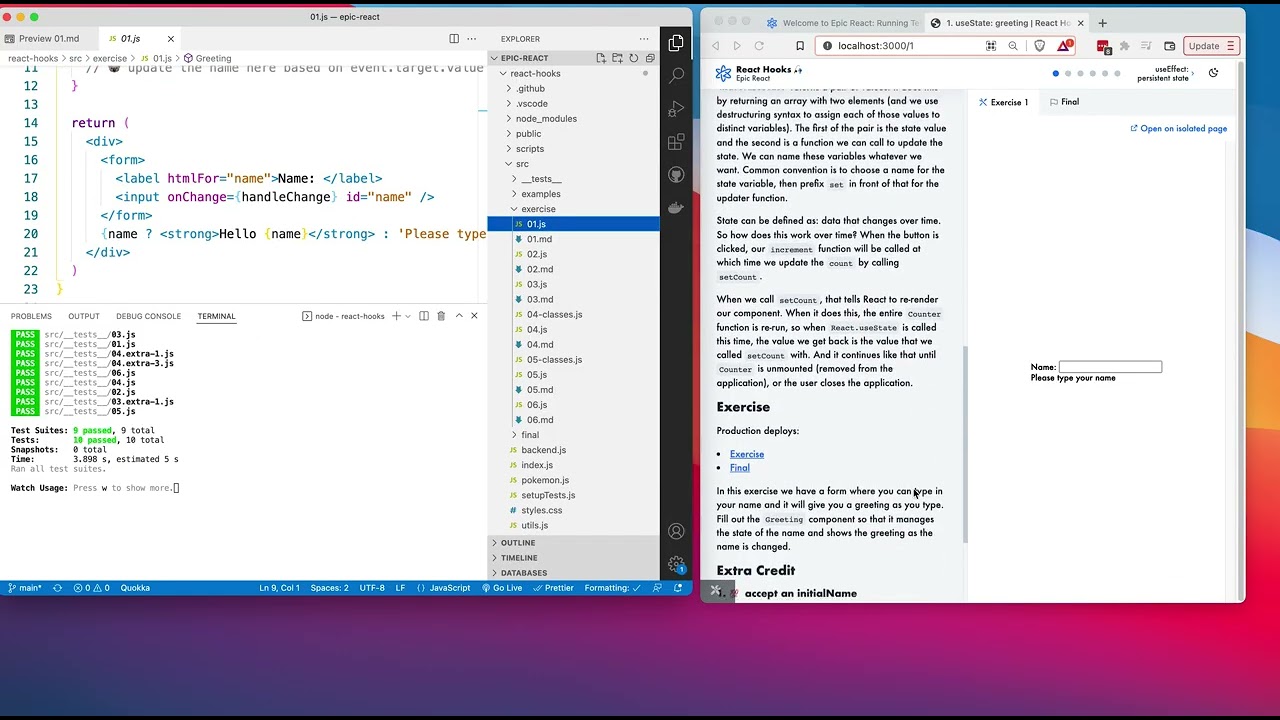
A walkthrough for starting the Epic React Hooks Workshop and running the tests — covering how to get the local environment running, what to expect when the workshop launches, and how to verify everything is working before diving into the exercises.
Test Driven Development
A step-by-step guide to Test Driven Development with Epic React — walking through the TDD workflow, how to read and run tests, and how to use failing tests as a guide for writing code.
The Medium
Why Loom for step-by-step technical guides
Loom was the right tool for this type of instructional content for the same reason screencasts work better than written docs for interface walkthroughs: the learner needs to see the cursor move, the buttons highlight, and the screens transition in real time. A numbered list of steps requires the learner to translate text into action. A screencast lets them follow along visually and pause at exactly the moment they need to catch up.
For an asynchronous bootcamp environment, Loom recordings also gave students access to the guides outside of mentor office hours — removing the dependency on a live session for something that could be answered with a five-minute video.
The format mirrors what effective AI tool adoption training looks like in a workplace context: short, task-specific recordings that meet employees at the moment of need, without requiring them to read documentation or wait for a scheduled session.
Screencast Guides
Watch the Walkthroughs
Step-by-step Loom guides recorded for Masterschool students onboarding to Epic React, 2022.
Account Verification & Login

Navigating the Lessons

Starting the Hooks Workshop

Test Driven Development
Reflection
Step-by-step guides are a core deliverable in any technical training program
What this project reinforced is something that holds across every technical training context: the most common reason learners don't engage with new tools isn't resistance — it's friction at the entry point. When getting started requires navigating an unfamiliar interface before you've seen any value from the tool, motivation drops before learning begins.
Removing that friction is instructional design work, even when it doesn't look like a course. A three-minute screencast that walks someone through account setup is a learning intervention. It changes behavior, reduces support burden, and gets the learner into the actual content faster. That's the same logic that drives effective AI adoption training in a workplace — meet people at the moment of confusion with something specific and immediately useful.
Mentor & Instructional Design, Masterschool — Epic React Onboarding Guides, 2022.
2022
Masterschool
Mentor · Instructional Design
Loom Screencast Walkthroughs
Epic React Onboarding
Keep Exploring
More from this project
Interested in working together?
I'm currently available for remote instructional design and eLearning development contracts.